

Documentation
Start here: YuviRed
YuviRed shows you which AI tools the computers in your organization use, and helps you govern that use. This page tells you what the product is, what it is not, and where to go next.
What YuviRed is
YuviRed is AIDR, AI Detection and Response, for computers and browsers. It also covers AMS, AI agent Management and Security: it finds AI agents that run on your computers (for example coding assistants) and shows what they connect to.
You install one server on a Windows computer. You then add the Windows computers you want to watch. Each of them runs a small program called the YuviRed Agent, and (optionally) a browser extension for Chrome and Edge. You work in a web console that the server hosts. The console shows AI activity, alerts, reports, and the settings that decide what is recorded and for how long.
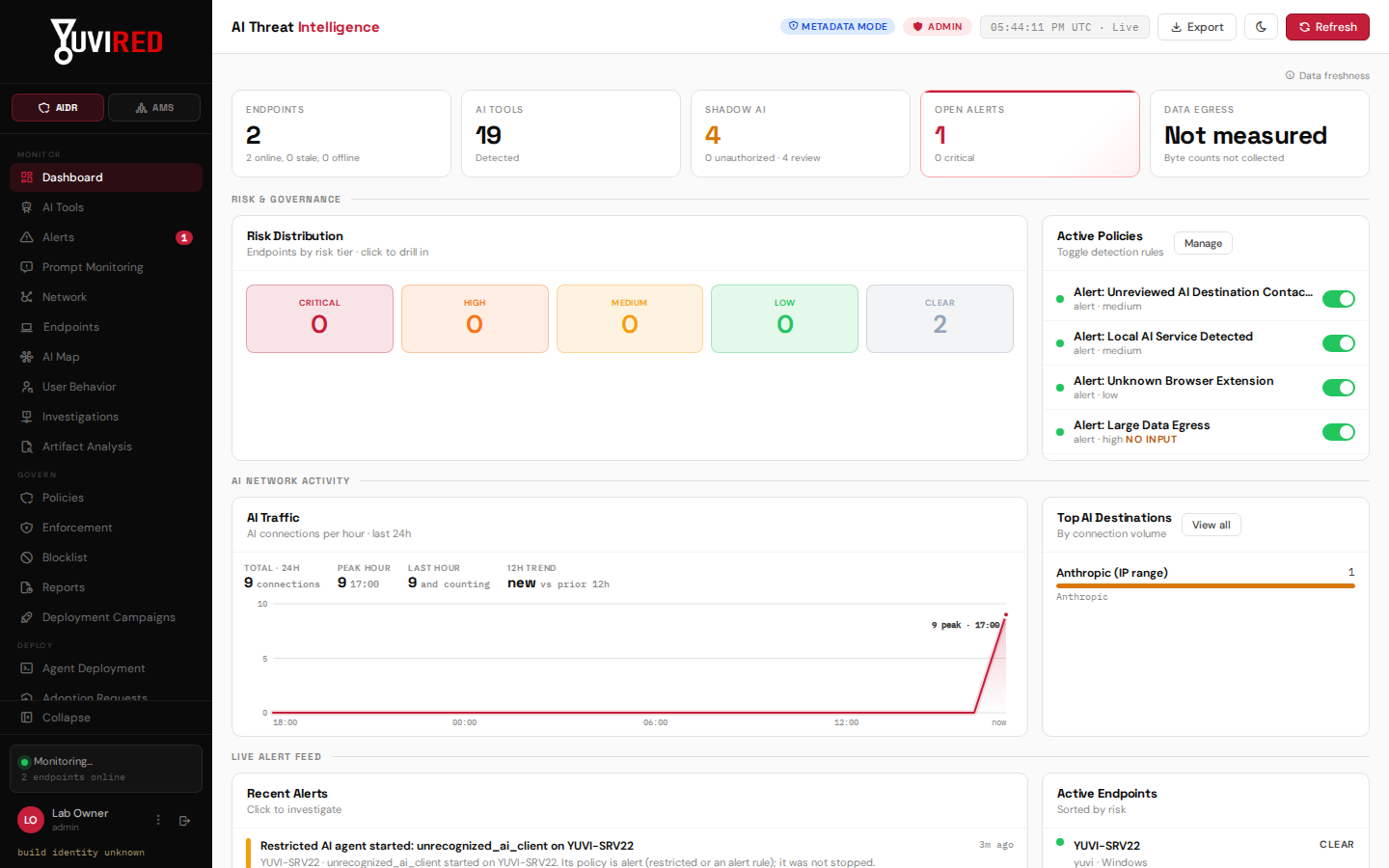
The console Dashboard of a lab install with two computers enrolled. The tiles at the top summarize what YuviRed has seen. The counts come from lab data.
Your monitoring data stays on your server. YuviRed LLC receives only what the license needs: see What YuviRed receives from your server.
Who it is for
- An IT administrator or security lead in a small or mid-size organization who must answer "who uses AI here, with what, and is it allowed?"
- Organizations that are entitled to monitor their computers and have told the people who use them. YuviRed is not for monitoring people who have not been told.
What it is not
- It does not block the network. It watches and reports; it is not a firewall. The only place it can stop anything is the browser extension, and only if an administrator later chooses a stronger Prompt Protection setting; a new installation starts in Monitor Only and nothing escalates by itself.
- It does not record keystrokes or take screenshots.
- It does not read your files or the pages people view. By default the extension keeps only a masked fragment of a prompt. Storing original prompt text is a separate setting that is off by default.
- Detection is probabilistic. YuviRed reports what it sees and how sure it is. Treat a finding as evidence to look at, not as proof.
- It does not support Firefox, macOS or Linux computers in this release. The server and the agents run on Windows. The extension supports Chrome and Edge.
The three editions
One installer serves all three. The license you activate decides the edition.
| Lite | Pro | Enterprise | |
|---|---|---|---|
| Price | Free, never expires | US$1,500 per year | Custom |
| Computers | 10, plus the server itself | 50 | As agreed |
| AI agents (AMS) | 5 | 50 | As agreed |
| How you get it | Request a code at https://yuvired.com/download | Request at https://yuvired.com/request; YuviRed approves it, you pay, then it is issued | Contact YuviRed |
| Trial or grace at the end | Not needed | No trial, no grace period | As agreed |
| Support | Email, reasonable efforts | Email, reasonable efforts | As agreed |
Support is by email at support@yuvired.com, with no response-time promise for Lite and Pro.
One rule to know before you start: only the first account you create at setup (the owner) can activate the server, redeem a code or import a license file. Administrators you add later in the console cannot, and the console has no way to make a second owner. Create the owner account with an email address your organization keeps, and store its recovery codes.
The first three things to do
- Install the server. Download
YuviRed-Lite.exe, check its signature, and run it on a Windows computer that will stay on. Follow the Quick start, or the full Installation guide. - Set up and activate. Open the console on the server, create your administrator account, turn on multifactor authentication, and activate the server within 7 days with a code from the website. See Setup and Licensing.
- Add your first computer. Use Add Computer on the Agent Deployment page, run the installer it gives you on that computer, and watch it appear under Endpoints.
Where each guide is
| You want to | Open |
|---|---|
| Get running in about 10 minutes | quick-start.md |
| Check requirements, install silently, upgrade, uninstall | admin-guide/installation.md |
| Create administrators, set retention, notifications, the Legal page | admin-guide/setup.md |
| Activate, renew, move to Pro, recover a locked console | admin-guide/licensing.md |
| Read what YuviRed collects and your terms | Console, Legal page; or https://<your server>:8443/static/legal/ |
| Read this documentation without internet | Console, Help page (an offline copy of the essential pages, served by your server at https://<your server>:8443/static/docs/); the full set is at https://yuvired.com/docs |
The installer's last window also shows where the documentation is. The Help page is in the admin part of the navigation, so Analyst and View Only accounts do not see it.
The legal documents are the End User License Agreement, the Privacy Policy, the Monitoring and Data Notice, "What YuviRed collects and where it goes", and the Third-Party Software Notices. Read the Monitoring and Data Notice before you add the first computer.
Getting help
Email support@yuvired.com. Put "Privacy request", "Security report" or "Legal notice" in the subject when it is one of those. When you ask about a license, include the Installation ID shown on the license screen. It is not a secret. Website: https://yuvired.com.